
timeslider
Now with Microsoft Teams
Time tracking that
feels like sliding.
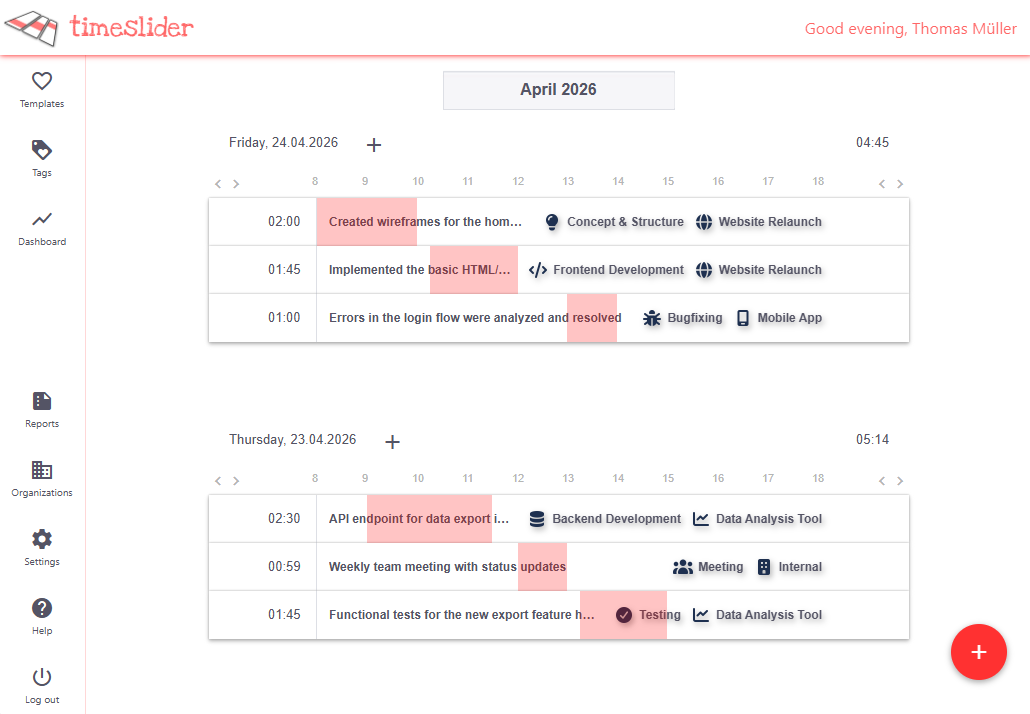
Start the timer. Drag and drop the blocks. See gaps and overlaps right away. Faster than any spreadsheet.
How it works
Three steps. No setup required.
Time tracking that works in 30 seconds.
1
Start timer
Click the + button to start your timer. Choose a template or type in a name.
2
Drag & Adjust
Forgot to stop the timer? No problem. Just drag the time blocks to the right spot.
3
Stay on top of things
See at a glance where there are gaps and overlaps. Dashboard and reports included.
Features
Everything your team needs.
From a single person to a team of 50 people.
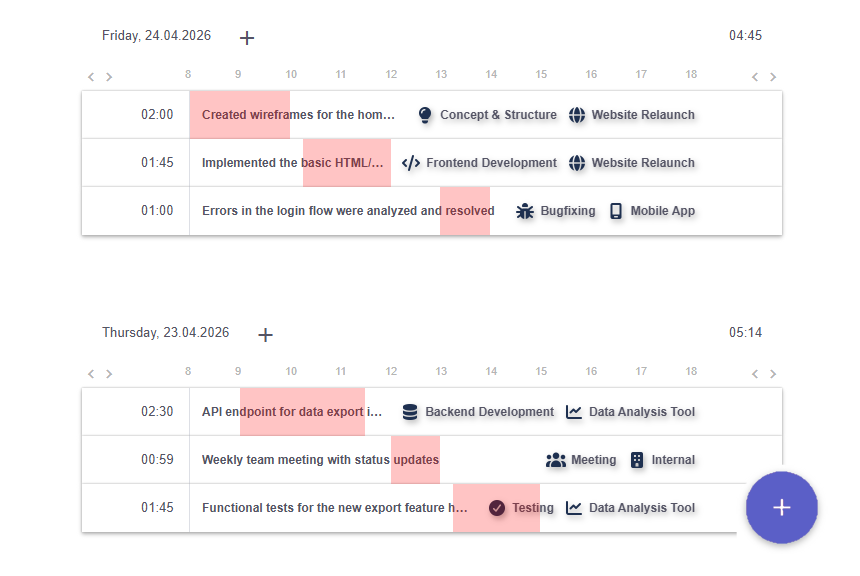
Slider Time Tracking
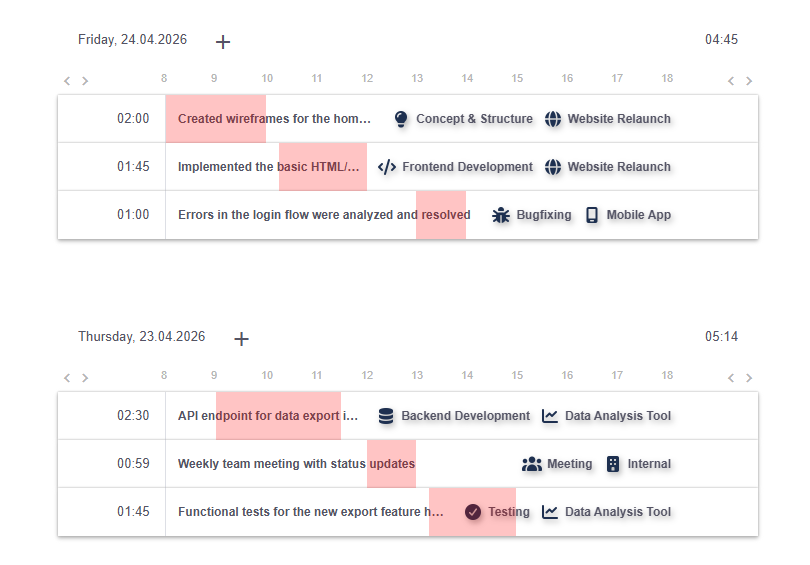
A horizontal timeline instead of tables. Visually start, stop, and move time blocks.
Dashboard & Reports
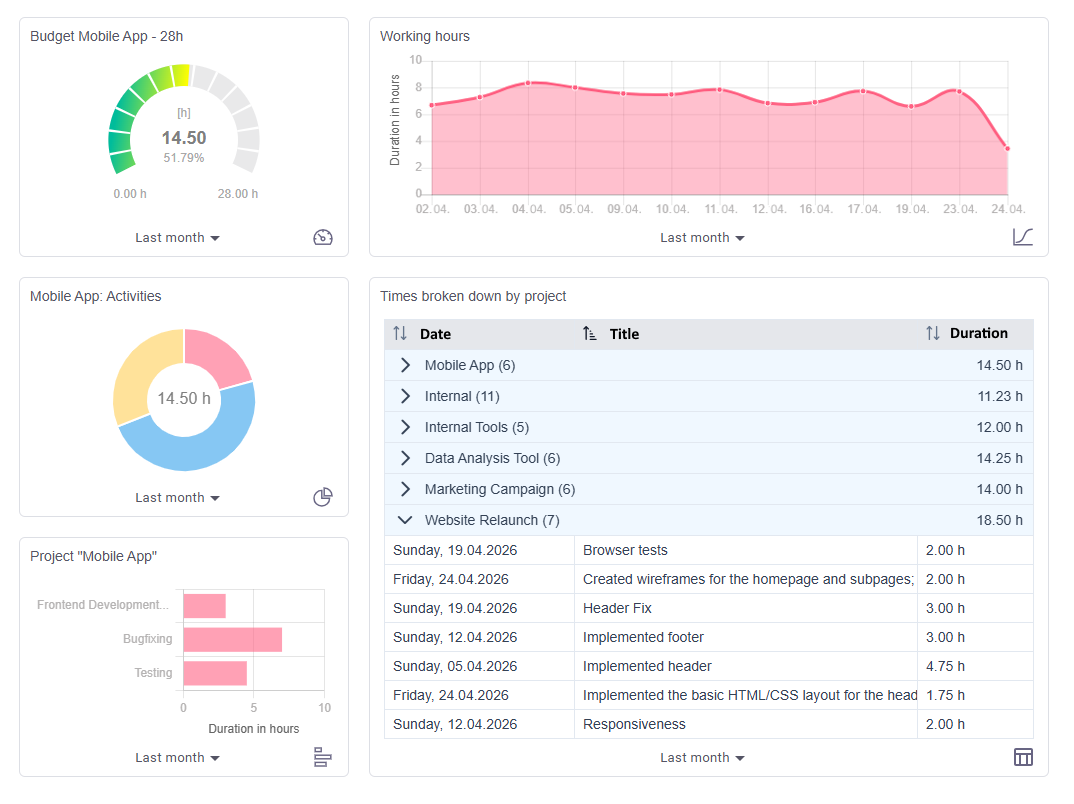
Create your own widgets: bar charts, line charts, pie charts, and tables. Filter by tags, time periods, and projects.
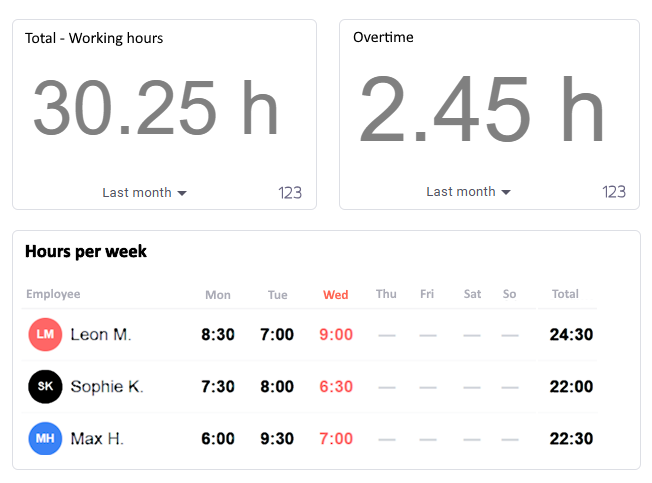
Team-Workflows
Organizations, predefined tags, shared templates, and manager views for your entire team.
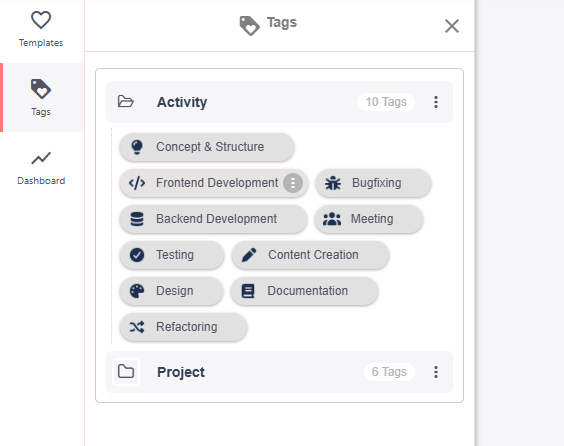
Tags & Templates
Create tag groups for projects, clients, or activities. Save recurring appointments as templates.
May 2025
‹ ›
Mon
Tue
Wed
Thu
Fri
Sat
Sun
28
29
30
1
2
3
4
5
6
7
8
9
10
11
12
13
14
15
16
17
18
19
20
21
22
23
24
25
09:00 Sprint Planning
14:00 Code Review
Calendar integration
Connect Google Calendar and Microsoft 365. Appointments are automatically suggested as time blocks.
T
Timeslider
Teams App
Microsoft Teams
Use Timeslider directly in Teams. Track time without switching apps.
Pricing
Simple prices. No surprises.
Start for free and upgrade only when you need to.
Free
0
€
per month
No credit card required
- ✓1 user
- ✓Simple time tracking
- ✓Dashboard
- ✓Personal timer templates
- ✓Personal tags
Freelancer
7.49
€
per month including VAT
- ✓Everything from the “Free” plan
- ✓Reports and analysts
- ✓Extended filter options
- ✓Calendar integration (Google/Microsoft)
- ✓Receive support
Recommended plan
Professional
29.99
€
per month including VAT
Includes 5 team members
- ✓Everything from the “Freelancer” plan
- ✓Quick entry of times
- ✓1 organization(s) included
- ✓5 members per organization included
- ✓Working time tracking (clocking in/out)
- ✓Working time profiles
- ✓Predefined tags
- ✓Predefined timer templates
- ✓Advanced calendar integration with multiple accounts
- ✓More team members bookable
- ✓Show and report timers of all teams
Enterprise Plan
Need more? For enterprise solutions with 20+ organizations and phone support, we'll advise you personally. Self-hosting available — install Timeslider on your own infrastructure.
Contact us
Individual pricing
T
Today, 30.04.2026
05:34
9
10
11
12
13
14
15
2:15
Sprint Planning
1:42
Code Review Backend
0:47
Customer Call
0:30
Documentation
Microsoft Teams
Track your time without
switching apps.
Timeslider runs directly within Microsoft Teams. Start timers, edit time blocks, and stay organized—all without switching contexts.
Ready to track your time
more effectively?
No credit card. No setup. Ready to go in 30 seconds.
The Free Plan is free forever. You can upgrade at any time.